Everything the security committee asks before they sign
The checklist procurement and security run before they approve: SSO, roles, MFA, data retention, GDPR. Admin has the enterprise requirements table already ticked.
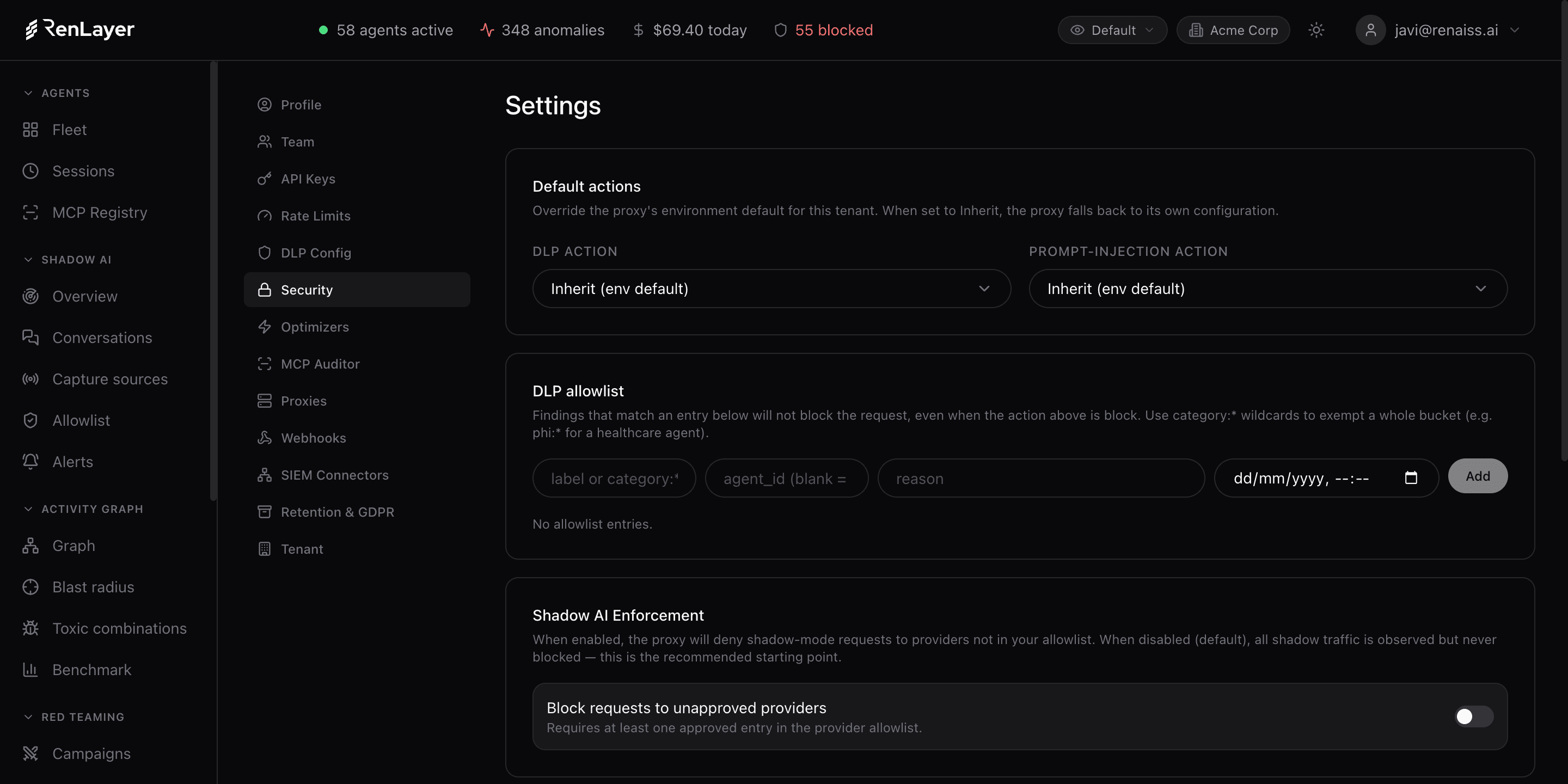
The enterprise foundation under the control plane
Organization models your company the way it actually works: departments group teams, teams group people, so every metric, cost and finding attributes correctly and access follows least privilege. Members get role-based access, with the usual guardrails: an owner cannot demote the last owner or lock themselves out.
Settings holds the enterprise controls: SSO/OIDC and MFA, API keys scoped to exactly what an agent needs with IP allowlists and a 24-hour rotation grace, per-key rate limits, configurable retention with optional archival, and GDPR deletion by subject email. It is the checkbox that unblocks the signature, not a demo highlight.
What Admin gives you
Organization & RBAC
Departments, teams and members with role-based access, so attribution and permissions follow your real org structure under least privilege.
SSO & MFA
OIDC single sign-on with allowed-domain control and two-factor authentication for every console user.
Scoped API keys
Keys scoped to proxy:write, console:read, policies:write or admin:all, with IP allowlists, last-used tracking and a 24-hour rotation grace.
Rate limits
Per-key requests/minute, requests/hour, tokens/minute and cost/hour caps to contain runaway agents and spend.
Retention & GDPR
Configurable purge windows for traces, audit log and DLP events, optional S3/GCS archival, and GDPR deletion requests by subject email.
Transparency & enforcement
An employee transparency portal for GDPR self-service, plus a toggle to block unapproved providers when you are ready to enforce shadow-AI policy.
What the security committee gets
- Organization Departments, teams, members with RBAC Least-privilege roles mapped to your real org structure.
- Authentication SSO/OIDC, MFA, allowed email domains Enterprise sign-in with two-factor for every user.
- API keys Scopes, IP allowlist, rotation grace, last-used Least-privilege machine credentials with rotation and revocation.
- Rate limits RPM, RPH, tokens/min, cost/hour Per-key throttles to contain runaway agents and spend.
- Retention & GDPR Purge windows, archival, deletion requests Keep what compliance requires; honor the right to be forgotten.
Model, secure, retain
-
Model your organization
Create departments and teams and invite members with least-privilege roles, so attribution and access match how you actually operate.
-
Wire up enterprise auth
Configure SSO/OIDC and require MFA, then issue scoped API keys with IP allowlists and rotation for your agents.
-
Set retention and GDPR
Choose purge windows and optional archival per data type, and handle deletion requests by subject email from one place.
Frequently asked questions
Which SSO providers are supported?
Any standard OIDC identity provider (Okta, Azure AD/Entra, Google Workspace and others), with allowed-domain restrictions and group sync for attribution.
How do API key scopes work?
Each key is limited to what it needs (proxy:write, console:read, policies:write or admin:all), with optional IP allowlists, last-used tracking, and a 24-hour grace window on rotation so you can rotate without downtime.
Can RenLayer satisfy a GDPR deletion request?
Yes. Submit a deletion request by subject email and RenLayer completes it within the configured window. Retention windows are set per data type, with optional archival to S3 or GCS before purge.
Can an admin lock themselves out?
No. The role model includes guardrails: an owner cannot change their own role or demote the last active owner, so you never lose administrative access to the tenant.